Schedule a tour
LEVER SOFTWAREScheduling

Run your jobs.
Don’t let them run you.

In property restoration, emergencies are guaranteed — you can only absorb them when the week is already planned. Lever360’s resource-based scheduler puts your whole production picture on one board.

app.lever360.com/scheduleFilterApr 21 – 25DefaultTime DayListTimelineResource GridRESOURCEMon21Tue22Wed23Thu24Fri25EMPLOYEESMarco RuizTechnician7:00 AMJ-24891 · Mercer ResidenceWater mitigation8:00 AMJ-24902 · Oakwood CtPack-outDiego MarínLead tech7:30 AMJ-24891 · 218 LaurelMonitoring9:00 AMJ-24911 · Bishop StStructural dry2:30 PMNew · Emergency lossNew intakePriya RaoEstimator8:30 AMJ-24880 · Cedar PlazaEstimate walkthrough8:00 AMRoute · Monitoring route3 jobsTara NolanTechnician7:00 AMJ-24880 · Cedar Plaza #4Mold remediation7:30 AMJ-24911 · Bishop StStructural dryVEHICLESPump Truck 31 of 17:00 AMJ-24891 · Mercer ResidenceExtractionPack-out Truck1 of 28:00 AMJ-24902 · Oakwood CtContents haulEQUIPMENTAir movers ×2418 available7:00 AMJ-24891 · 218 LaurelDeployed · 6 units on siteDumpster 20yd1 of 28:00 AMJ-24902 · Oakwood CtDebris haulSUBCONTRACTORSDryRight LLCSub9:00 AMJ-24902 · Oakwood CtContents cleaningWater mitigationIn progressMarco RuizTechnicianMon Apr 21, 7:00 AM→ Wed Apr 23, 5:00 PM218 Laurel Ave, Austin TXMapExtract standing water, set air movers &dehus, log daily readings.LINKED TOJ-24891 · Mercer ResidenceJobMercer ResidenceCompanyLauren MercerContactExtract & set air moversTask · due WedReminder · 1 hr before
Why it matters

Proactive scheduling is what makes reactive response possible.

Emergencies are guaranteed in restoration. You can only absorb the next loss without chaos if the week is already planned — because you can’t move a monitoring visit you never scheduled.

The shiftFrom reacting all day → running the day.
No one stands around

Teams arrive knowing where they’re going and are on site at 7:00 — not stuck in the office sorting out the day.

Nothing gets dropped

Every visit, monitoring check, and job is on the board — work doesn’t fall through the cracks.

One clear picture

See the whole production week at once and run a tight operation instead of a reactive one.

Ready for the next loss

Because the week is already planned, you have room to absorb an emergency the moment it lands.

The engine

A scheduler built around your resources.

Lever360 schedules resources, not just calendars. A resource is anything that can only be in one place at a time — so the board reflects what your company can actually do this week.

Because it is resource-based, you can’t double-book the things that can only be in one place at once — a specific crew, a pump truck, or a large piece of equipment.

People

Employees and technicians — the crews you dispatch every day.

Subcontractors

Put subs you want on the board right alongside your own team.

Specialty vehicles

Pump trucks, pack-out trucks, and dumpsters — never double-booked.

Specialty equipment

Large-scale gear that can only be one place at a time stays accounted for.

The production board

Resources down the side. Days across the top. Work in the grid.

The production timeline is the view teams live in. Build and adjust the whole week by dragging work onto the board — then click any block to see the job behind it.

app.lever360.com/scheduleFilterWed, Apr 23DefaultTime DayListTimelineResource GridMarco RuizDiego MarínPriya RaoTara NolanPump Truck 37 AM8 AM9 AM10 AM11 AM12 PM1 PM2 PMJ-24891 · Mercer ResidenceWater mitigationJ-24902 · Oakwood CtPack-outJ-24891 · 218 LaurelJ-24911 · Bishop StStructural dryJ-24880 · Cedar PlazaEstimateRoute · Monitoring route3 jobsJ-24880 · Cedar Plaza #4Mold remediationNew · Emergency lossNew intakeJ-24891 · Mercer ResidenceExtraction
Drag-and-drop on the web

Build and rearrange the whole week by dragging work across resources and days.

Click into full context

Click a block for the job it’s tied to, its tasks, and the linked company and contacts.

A view for every job

Switch between Timeline and Resource Grid, or drop to a day, list, or map view — same schedule.

On mobile

Every team member wakes up knowing their day.

The mobile app narrows the whole schedule down to the individual. Each person sees just their own calendar — the way they want to view it — the moment work is assigned.

Their own calendar

Week view, daily list, or upcoming — however they like.

Instant push notification

The moment someone is scheduled, they get a push that work is assigned.

Start on time

Techs head straight to the site — no morning huddle to sort out the day.

Always in sync

Move a block on the board and every affected day updates.

7:02MY DAYWed, Apr 23DMM21T22W23T24F25S26S276STOPS4JOBS7:00START7:00Mercer ResidenceExtraction & air movers9:30218 LaurelMonitoring · readings11:00Bishop StStructural dry check1:30Cedar Plaza #4Estimate walkthrough3:00Emergency lossNew intake · dispatched4:30Oakwood CtPack-out wrap-upYou’re scheduled today6 stops · first at 7:00 AMHomeAgendaTasksJobsMore7:02MY WEEKApr 21 – 25DayWeekMon21Tue22Wed23Thu24Fri257a8a9a10a11a12p1p2p7:30218 L…9:00Bisho…J-2491112:00Ceda…J-248…7:00Bisho…J-2491111:00Monit…Route7:30Laurel8:30Bisho…J-2491112:00Oakw…J-249…7:00Merc…J-2489110:00Ceda…J-248…7:00Ceda…J-248…11:00Oakw…J-249…HomeAgendaTasksJobsMore
Interconnected

Schedules don’t live in a silo.

Every schedule block is linked to the job, company, contact, and tasks behind it. From anywhere in the system, click a block and go straight to the thing it relates to — so you always know what this is and where it sits.

JOBJ-24891 · Water mitScheduleCOMPANYMercer ResidenceScheduleCONTACTLauren MercerScheduleTASKSet air moversScheduleSCHEDULE BLOCKWater mitigationMarco Ruiz · Mon–WedLinked to every related record— one click to context.REMINDERMonitoring visit due — 1hr before
A Schedule tab on every record

Jobs, companies, contacts, and tasks each have their own Schedule tab showing just that record’s entries.

One click to context

Click a schedule block from anywhere and jump directly to the job or record for the full story.

Simple navigation is a feature

Everything connects. Getting between related records is one click — no hunting, no re-searching.

Tasks + Schedule

A task is the what.
A schedule is the when.

Tasks and scheduling are tightly interlinked. A task carries the expectations; a schedule places them in time — and a single task can carry multiple schedules, getting scheduled again and again until it’s complete.

THE TASKIn progressHighComplete structural dry-outJ-24891 · Mercer ResidenceMRMarco RuizDue Wed, Apr 23Extract standing waterSet air movers & dehumidifiersLog daily atmospheric readings3 schedules · spans multiple daysTHE SCHEDULE1 of 3Set air movers & extractWater mitigationMon, Apr 21· 7:00 AM – 5:00 PM218 Laurel Ave, Austin TXMap ↗MRMarco Ruiz · TechnicianSCHEDULED FROM TASKComplete structural dry-outThen Tue (monitoring) & Wed (final readings)
Who it’s for

One board, read differently by every role.

Owners & leadership

See the whole production picture — utilization, cycle time, and whether the week is under control.

Office & operations

Build and adjust the board, dispatch crews and equipment, and keep every job moving.

Field technicians

Open the app to a clear day — every stop, address, and job in order, updated in real time.

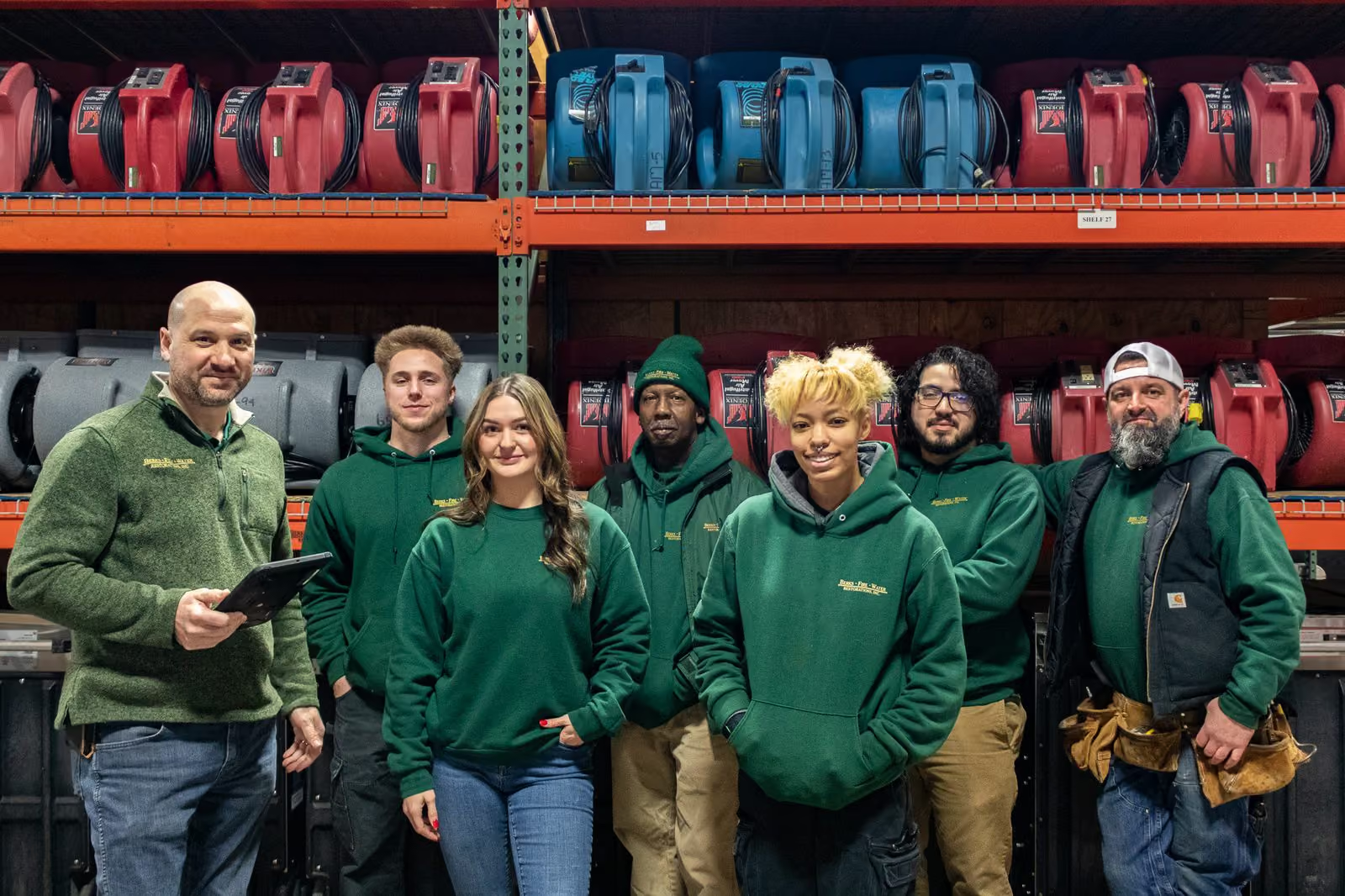
A restoration crew standing together in front of racks of air movers and drying equipment, with a manager holding a tablet.
Common questions

Scheduling questions restoration teams ask.

How do restoration companies schedule crews, equipment, and subcontractors without double-booking?

A resource-based scheduler treats every crew member, subcontractor, vehicle, and large piece of equipment as a resource that can only be in one place at a time. Work is placed against that resource on the production board — resources down the side, days across the top, work in the grid — so the same pump truck or technician cannot be committed to two jobs in the same window.

What is resource-based scheduling?

Scheduling a calendar puts an appointment on a date. Scheduling a resource commits a specific person, vehicle, or piece of equipment to a block of time. Because Lever360 schedules resources, the board reflects what your company can actually deliver this week rather than a list of intentions.

What happens when an emergency loss comes in mid-week?

Emergencies are guaranteed in restoration — the point of planning the week is having room to absorb one. When a loss lands you can see the whole production week at once, find the crew and equipment with real capacity, and move the work that can move. You cannot reschedule a monitoring visit you never scheduled in the first place.

How do field technicians see their schedule?

Every person gets their own calendar in the mobile app — week view, daily list, or upcoming — and a push notification the moment work is assigned to them. Each stop shows the time, address, and job, so technicians head straight to site instead of coming through the office for a morning huddle.

Can one job carry several scheduled visits, like daily monitoring checks?

Yes. A task carries the expectation — complete structural dry-out, for example — and a schedule places it in time. One task can carry many schedules, so a dry-out can be scheduled Monday for setup, Tuesday for a monitoring check, and Wednesday for final readings, with every visit tied back to the same task and job.

We run the week off a whiteboard and a shared calendar. Why change?

A whiteboard works until you are not standing in front of it, and a shared calendar schedules people but not equipment or subs. The board keeps the same at-a-glance read, adds the resources a calendar cannot hold, pushes each person’s day to their phone, and keeps a record you can look back at — every block still linked to the job, company, contact, and task behind it.
Lever Software · Scheduling

Put the whole week on one board.

See how a resource-based schedule keeps your team moving, nothing dropped, and your company ready for the next loss.

The Lever360 Platform

Three levers. Pull all three and the whole company moves.

Lever360 is three products built around the same restoration job. Software runs the operation. Learning Lever trains the team. RTI certifies the trade. Use one. Use all three — they compound.

Software is one lever

You're running the company here. The other two make it compound.

Software runs the operation — every job, crew, dollar and conversation lives here. Add Learning Lever and RTI and the same techs ramp faster, bill higher, and stay longer. One lever moves the company. Three move it harder.

Learning Lever is one lever

You're training the team here. The other two make the training stick.

Learning Lever onboards faster and keeps the whole team sharp. Software is where that training shows up in the work. RTI is where it becomes a credential customers trust. Pull one — pull all three and the math compounds.

RTI is one lever

You're certifying the trade here. The other two carry the credential to the field.

RTI certifies the trade — IICRC WRT, ASD, AMRT, FSRT and beyond. Software runs the company those certified techs work for. Learning Lever ramps everyone in between. One lever moves things. Three move the whole crew.

Bundled Pricing

Customers who run Software + Learning Lever together save 22% and onboard techs 3× faster.