
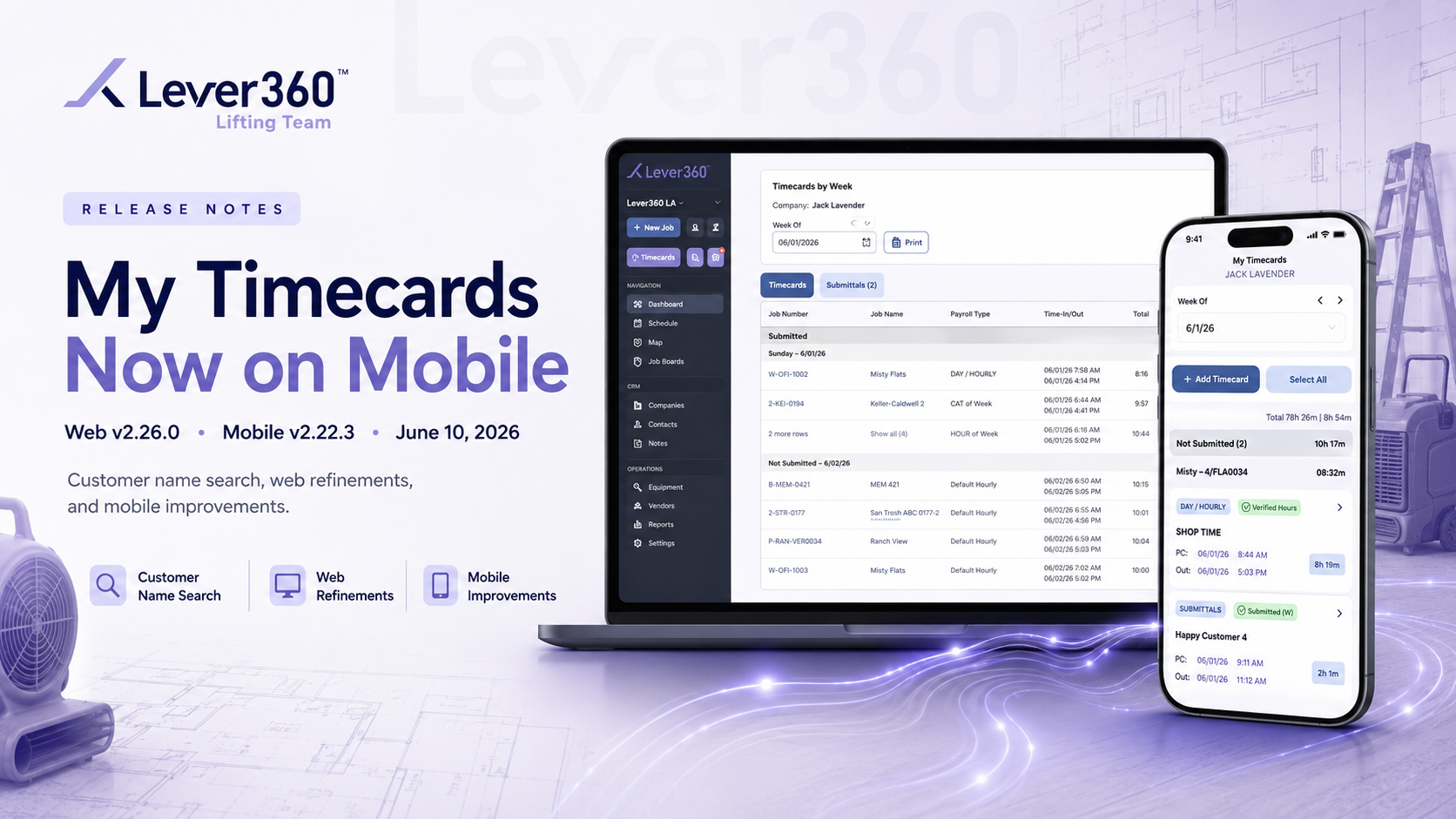
At Lever360, continuous improvement is not just a goal. It is how we operate. With the release of Version 2.26.0, we are introducing My Timecards on Mobile alongside meaningful improvements across both our web and mobile platforms. These updates are designed to give your team more flexibility, better visibility, and greater control in day-to-day operations.
Employees can now view, create, edit, and submit timecards directly from the Lever360 mobile app with the same capabilities available on the web platform. This means your team can manage their time from the field without waiting to get back to the office.
From the mobile menu, employees can now:
Whether a timecard is submitted or still pending, status information is clearly displayed and automatically synchronized between mobile and web.
Web Platform Improvements
This release includes several web enhancements designed to improve usability and efficiency.
Customer Name Search on the Job List
Updated Job Profit Labels
| Before | After | Scope | |
|---|---|---|---|
| "Labor Cost" | → | "Labor" | Label only |
| "Material Cost" | → | "Cost" | Label only |
Improved Dropdown and Selector Behavior
Mobile App Improvements
Clearer Camera and Photo Access Guidance
Uploading photos from the field is an important part of restoration documentation.
When the Lever360 mobile app requires access to a device's camera or photo library, users will now see clear guidance explaining how to enable the necessary permissions. These reminders remain visible until access is granted and disappear automatically once setup is complete.
This enhancement helps reduce confusion and improves the photo upload experience for field teams.
Why This Release Matters
Every restoration company depends on accurate job tracking, efficient field communication, and streamlined operational processes.
With My Timecards now available on mobile, technicians and field personnel can manage time entries from anywhere, reducing delays and improving accountability.
The addition of customer name search makes locating jobs faster, while performance enhancements and usability refinements create a smoother experience across the entire platform.
Together, these updates support:
As restoration business software continues to evolve, our focus remains on helping companies operate more effectively through practical innovation.
This is what it means to be powered by Lever360.